Can I Pause My Quarterly Content Update?
- In App version 1.14.1 and newer there is the ability to pause downloads. This means that the quarterly update that is released by the LES MILLS content team does not reach the App, however, your expired releases will still be removed.
- To enable this feature unlock the padlock to the top right and enter your admin code
- Navigate to SETTINGS > Manage Downloads
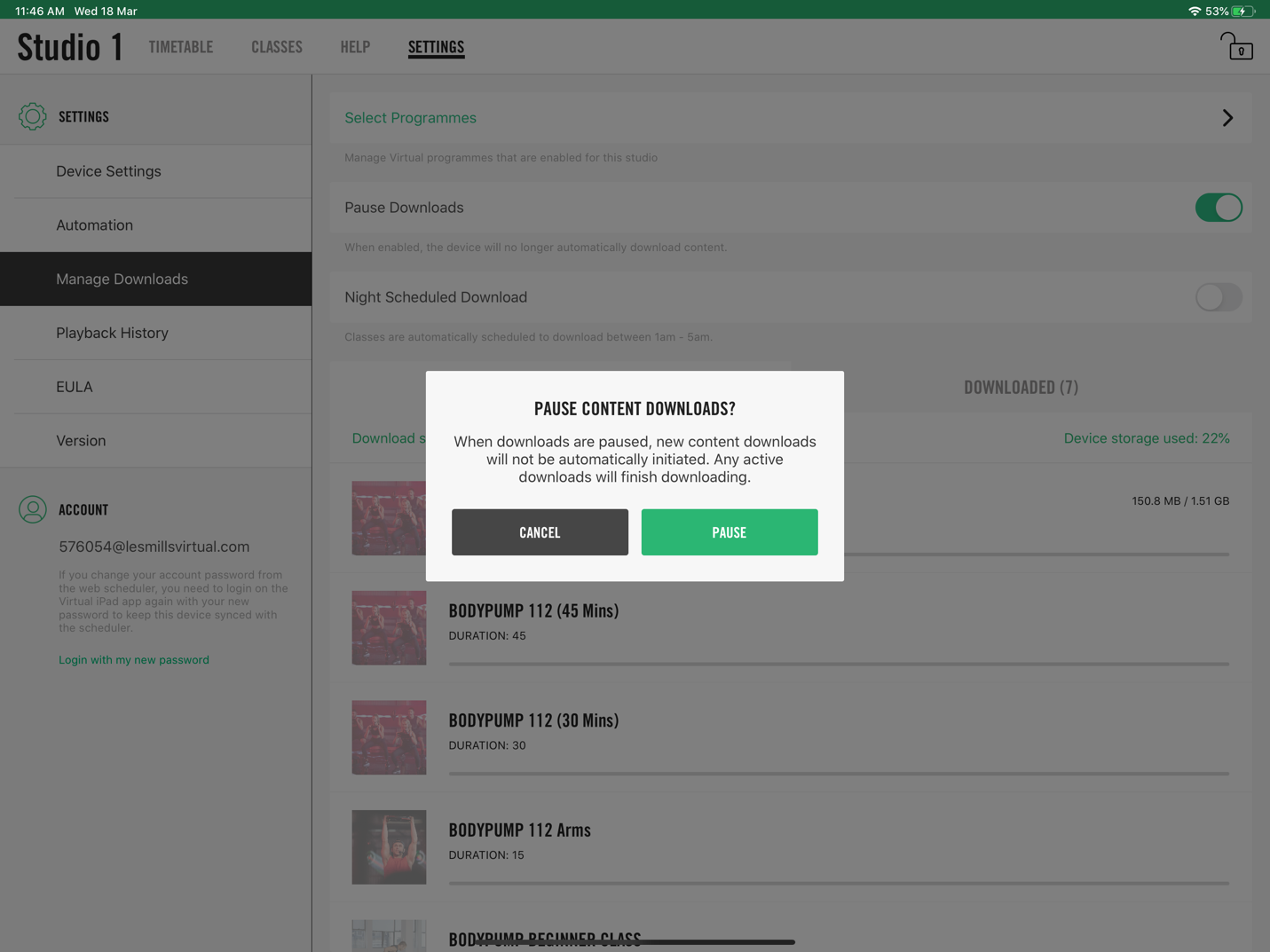
- Toggle Pause Downloads to ON (green)
- You will then be promoted to confirm your selection as below:
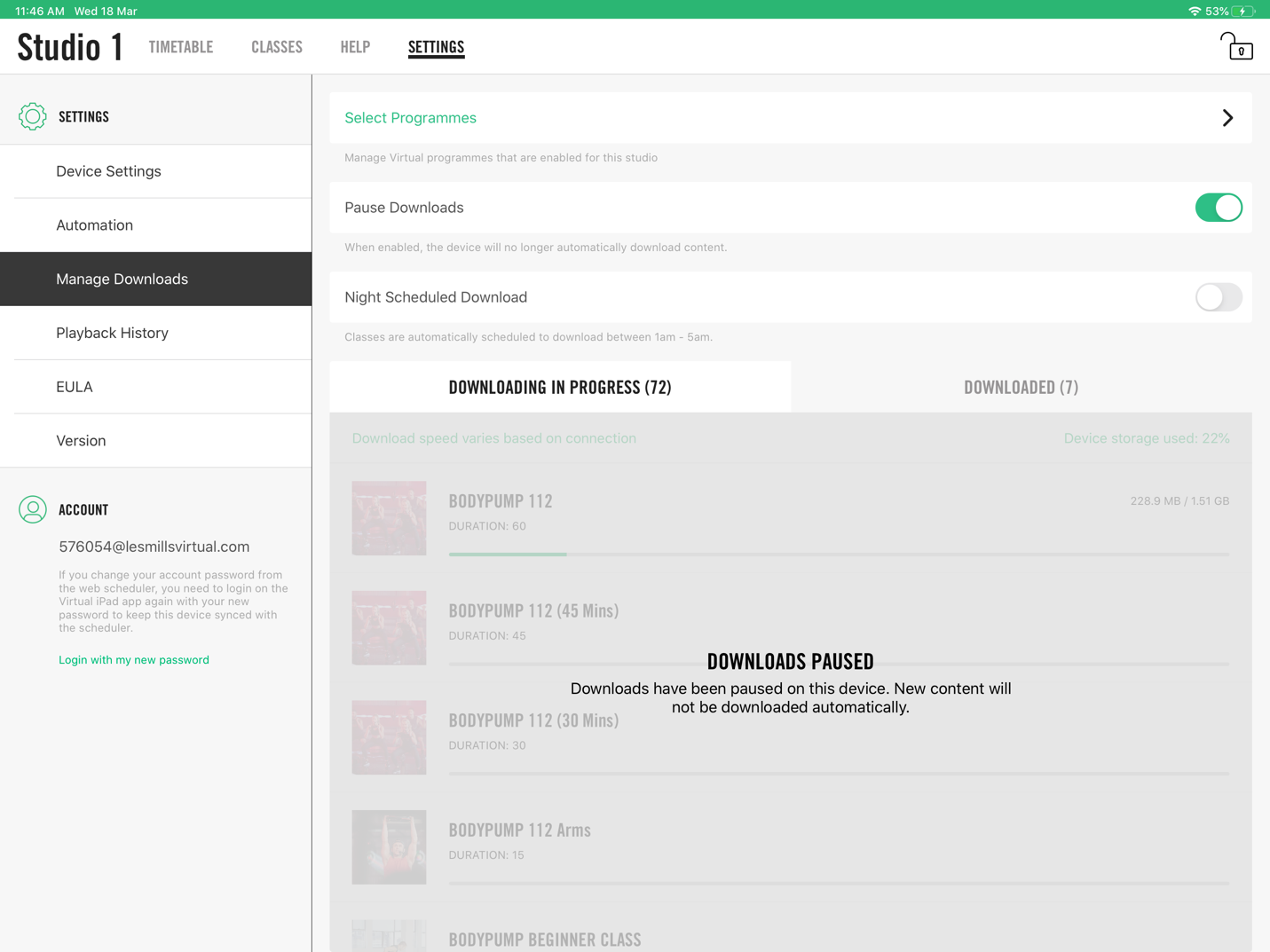
- Once Pause Downloads has been enabled you will see a screen like the below confirming that downloads are paused.
Was this article helpful?
That’s Great!
Thank you for your feedback
Sorry! We couldn't be helpful
Thank you for your feedback
Feedback sent
We appreciate your effort and will try to fix the article