What Languages Are Available And How Do I Set A Default?
The languages available for scheduled virtual classes and on-demand are determined by:
- Whether the program/release has been produced with a given audio language and/or subtitle language track
- The permitted languages assigned by your Les Mills Agent
Setting a default language for your club
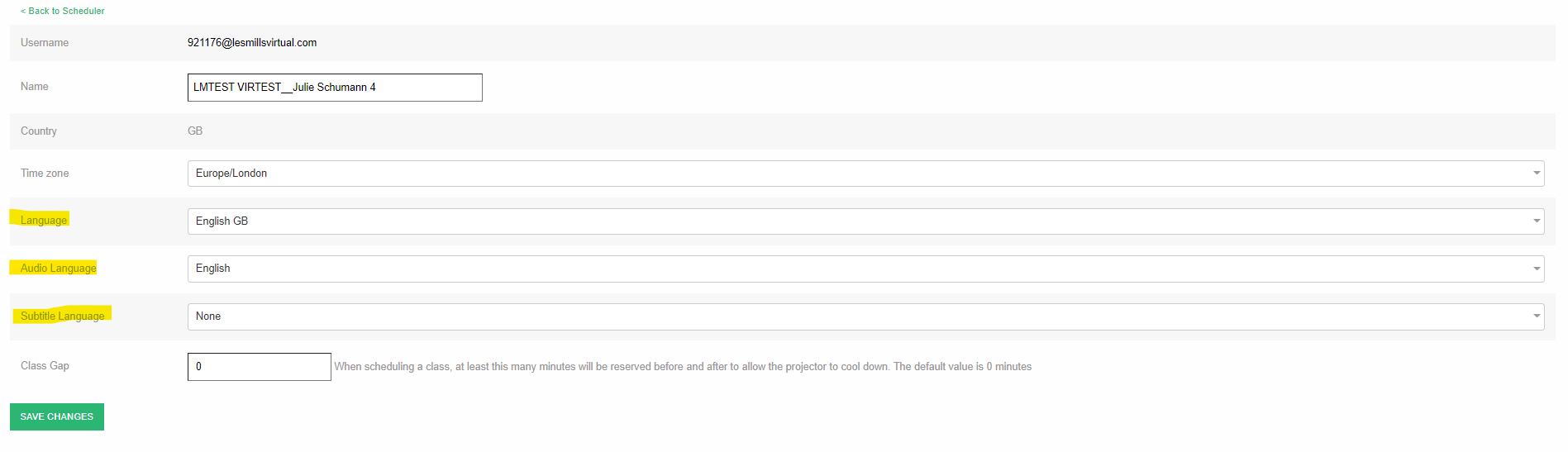
You can set the default audio and subtitle language for your club. To view or change the default language, simply:
- Log into Virtual Scheduler
- Click Settings > Club Preferences
- Change Audio Language and/or Subtitle Language
- Click Save Changes
Was this article helpful?
That’s Great!
Thank you for your feedback
Sorry! We couldn't be helpful
Thank you for your feedback
Feedback sent
We appreciate your effort and will try to fix the article