How Do I Create My Own Custom (Non Les Mills) Programs?
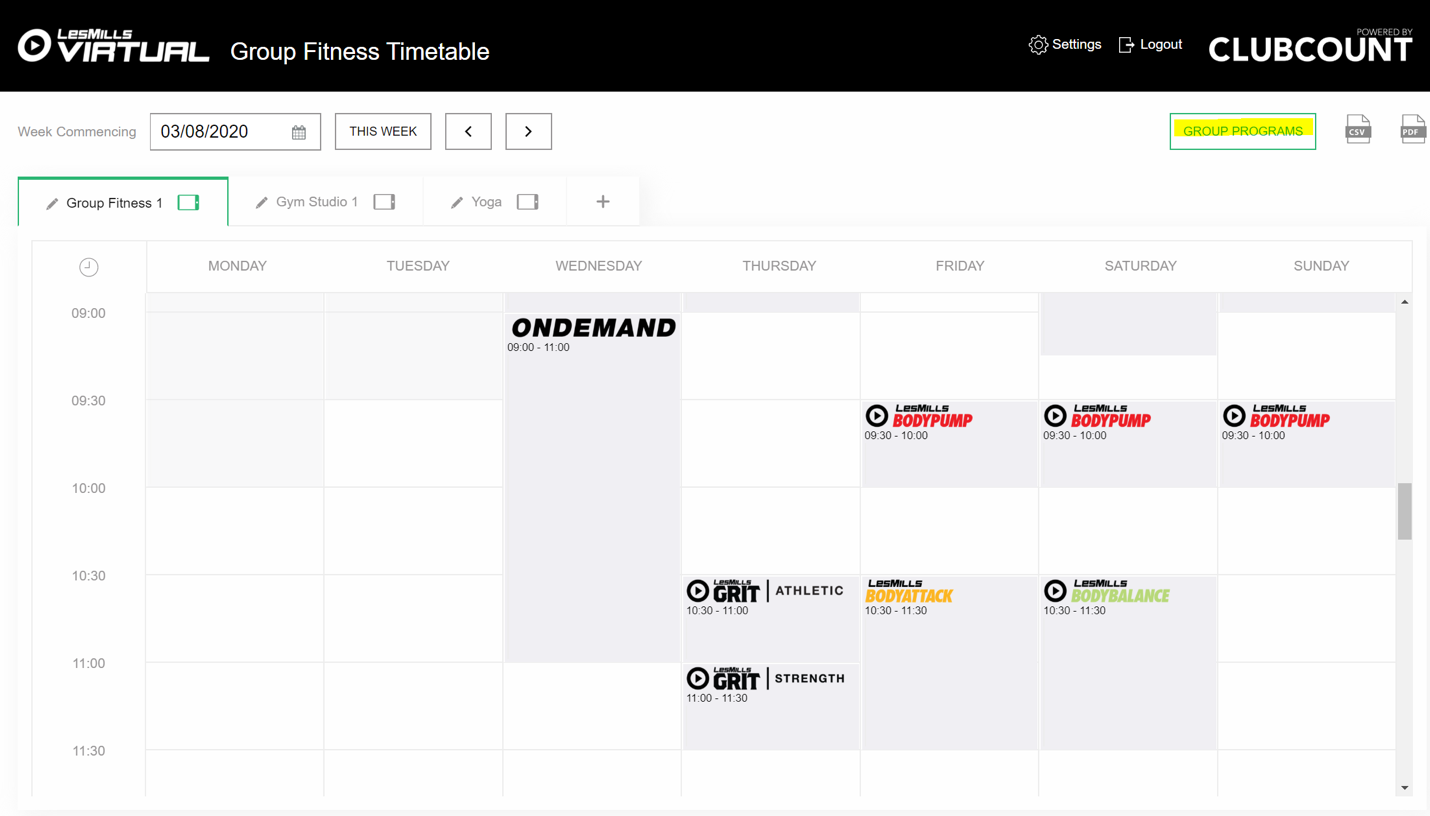
- Click on the Group Programs tab (highlighted in yellow).
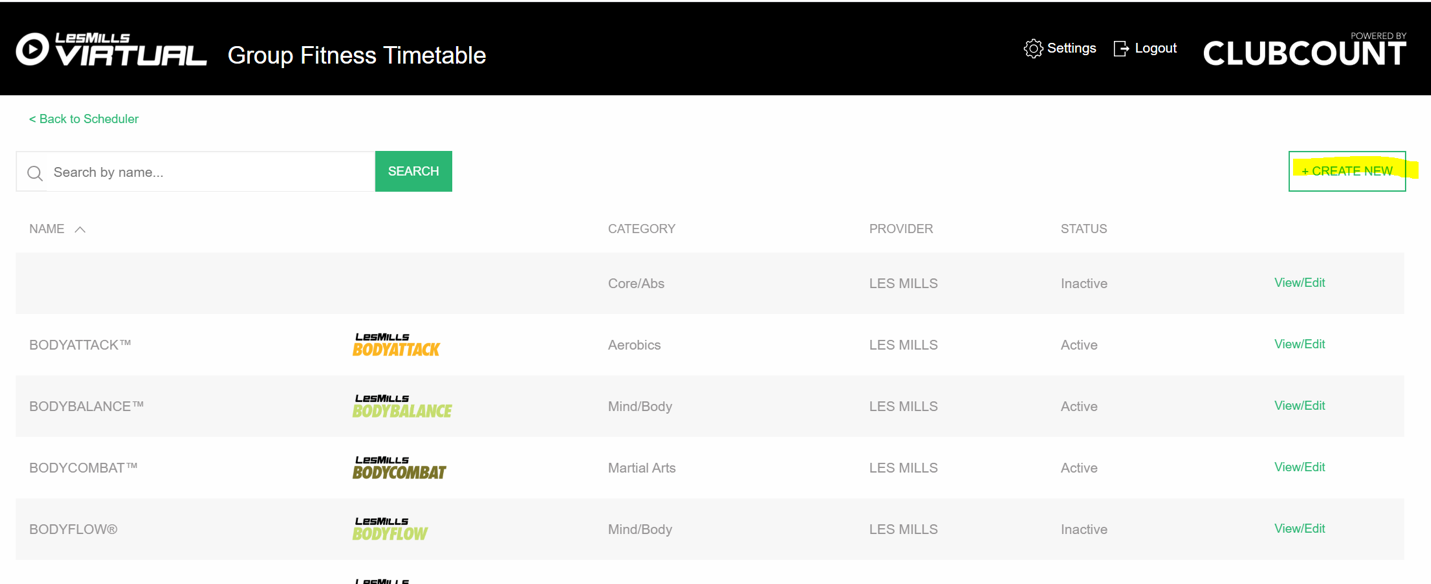
- Click on Create New button.
- Add name, workout type and image for your custom program.
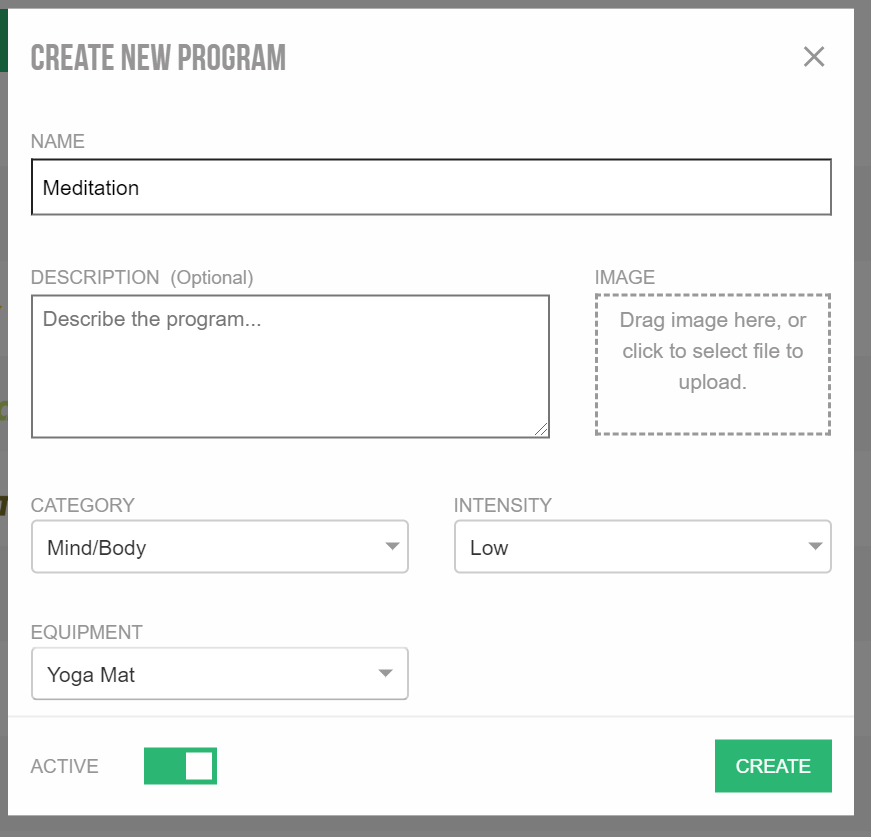
This program will be available to be scheduled as per any other program in the ‘Setting up your timetable' section.
Was this article helpful?
That’s Great!
Thank you for your feedback
Sorry! We couldn't be helpful
Thank you for your feedback
Feedback sent
We appreciate your effort and will try to fix the article