Cancelling your subscription
How to cancel:
You can cancel your subscription at any time, this will stop any future payments for that subscription and allow you to retain access to the app content until the end of your current billing period.
To cancel log into your billing portal, on the subscription you wish to cancel click "Cancel"

Click "Cancel My Subscription"
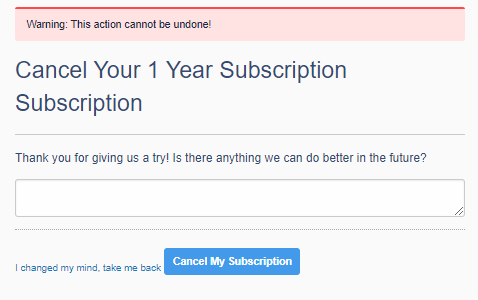
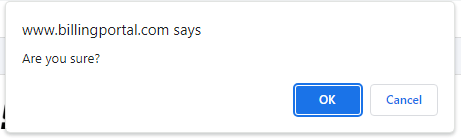
Confirm by clicking "OK"
You should see confirmation of your cancellation and when your subscription will expire.

You will still see any expired subscription in your billing portal.
If you decide you no longer wish to cancel please contact us at virtualbikesupport@lesmills.com before your subscription expires, so that we can stop this process for you,
Was this article helpful?
That’s Great!
Thank you for your feedback
Sorry! We couldn't be helpful
Thank you for your feedback
Feedback sent
We appreciate your effort and will try to fix the article