How Do I Reset My Password?
How Do I Reset My Password?
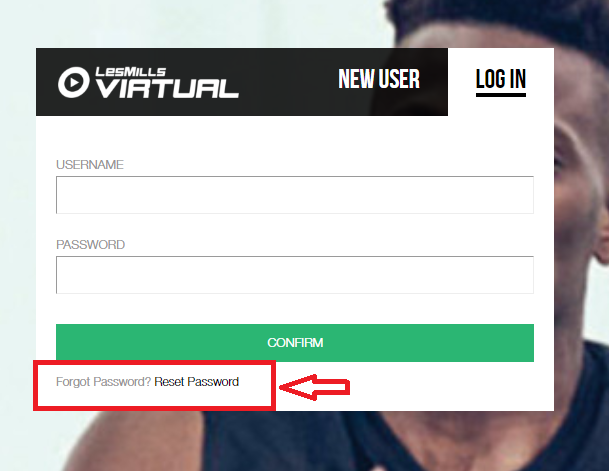
- Please click here to access the Virtual Scheduler login page and click 'Reset Password', as below.
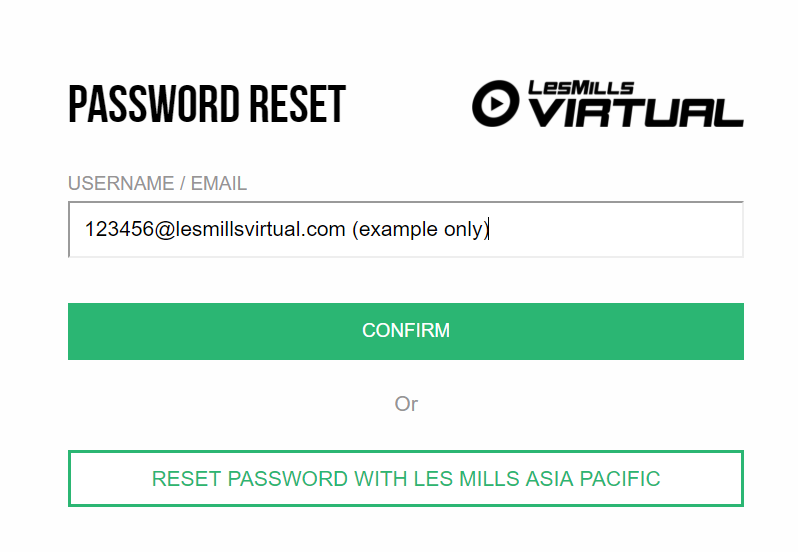
- You will then be taken to the page below to enter your username or the email associated with your account. Click 'confirm'
- An email will be sent to your registered email address with instructions on how to reset your password. Occasionally this email will go to spam/junk so be sure to check all inboxes.
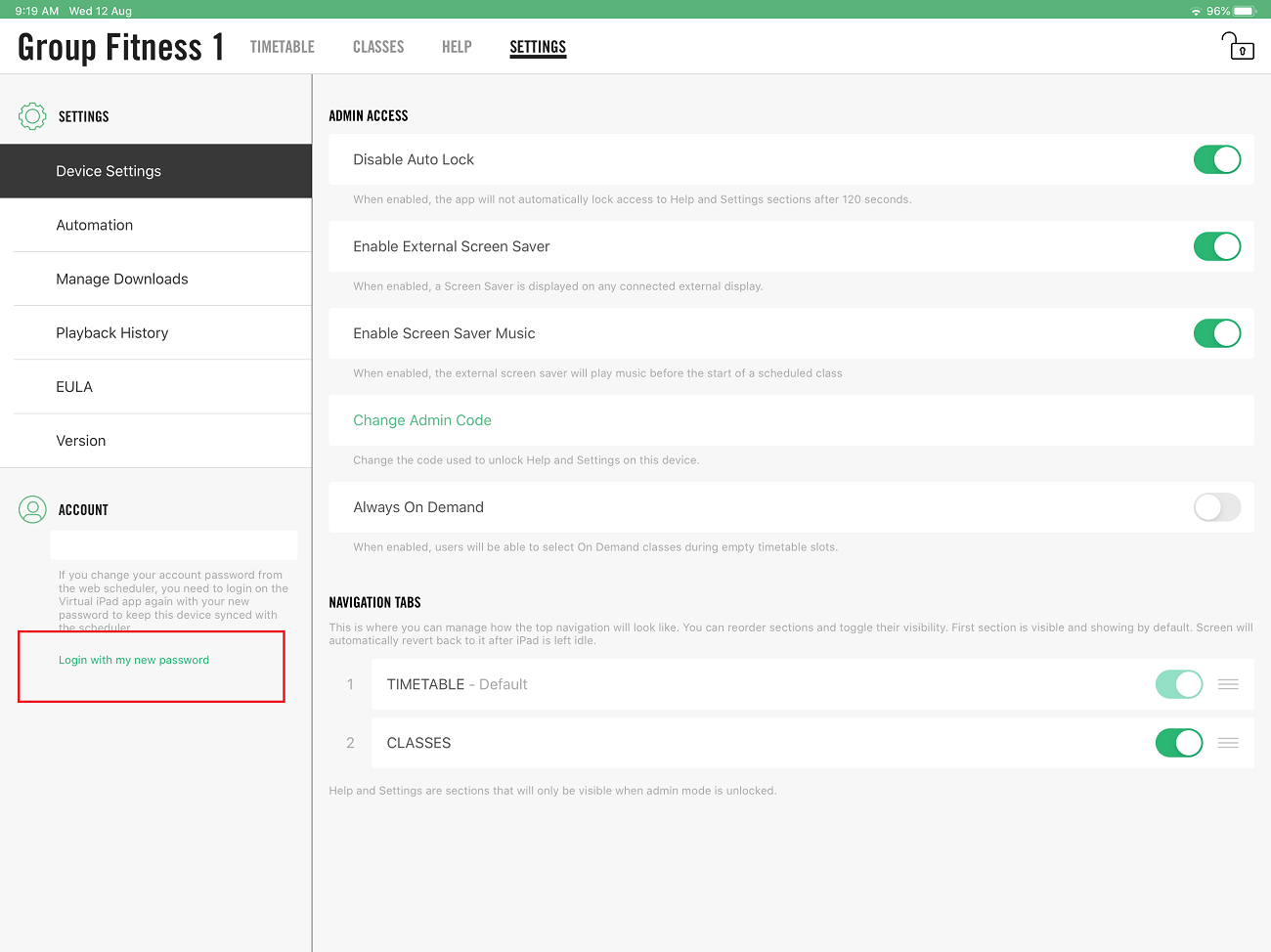
IMPORTANT: once your new Scheduler password has been created please update the password on your Virtual iPads to maintain synchronization with the Scheduler timetable by clicking on 'Login with my new password', as below:
Still experiencing issues? If these steps do not resolve the problem, please contact our Support team at support@lesmillsvirtualapp.freshdesk.com for further assistance.
Was this article helpful?
That’s Great!
Thank you for your feedback
Sorry! We couldn't be helpful
Thank you for your feedback
Feedback sent
We appreciate your effort and will try to fix the article